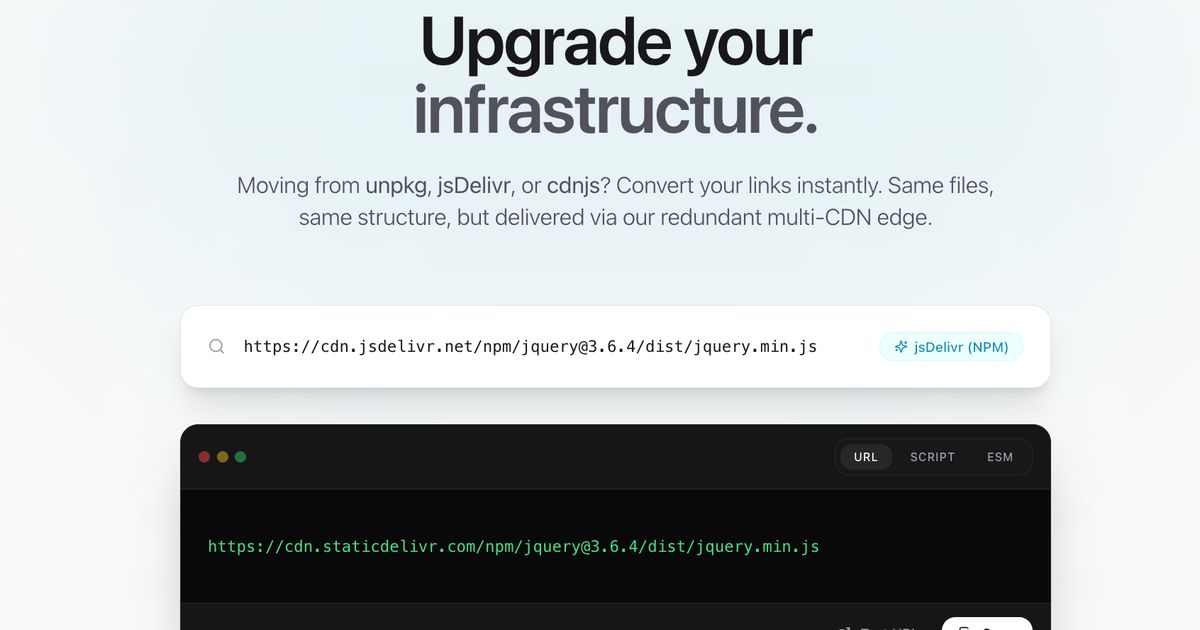
If you are looking to improve your site's performance, reliability, and open-source infrastructure, migrating to StaticDelivr is one of the smartest moves you can make. Whether you are currently using unpkg, jsDelivr, or cdnjs, switching to StaticDelivr is designed to be a seamless, drop-in experience.
Our CDN Converter tool makes this process incredibly simple, but understanding the "why" and "how" can give you confidence in making the switch. This guide walks you through the migration process, the benefits you will unlock, and how to use our dedicated migration tools.
Why Migrate?
Before we jump into the code, let's look at why thousands of projects are moving their infrastructure to StaticDelivr.
1. Auto-Redundancy
We don't rely on a single provider. StaticDelivr aggregates enterprise-grade networks like Cloudflare, Fastly, and Gcore. If one provider has an outage, we automatically route traffic to another instantly. Your users never notice a thing.
2. Smart Routing
It is not just about being "up", it is about being fast. Our DNS steers users to the closest performant Point of Presence (PoP), ensuring low latency regardless of where your visitors are located.
3. Global Scale
With over 570+ PoPs worldwide, we deliver assets from the edge. This means your files are cached and served from a server physically close to your user, drastically reducing load times compared to single-origin hosting.
How to Migrate: The Patterns
The migration process is largely a "Find & Replace" operation. We have standardized our URL patterns to match the most popular conventions in the ecosystem, so you rarely need to change file paths.
From jsDelivr (npm & GitHub)
If you are using jsDelivr for npm packages or GitHub repositories, the switch is almost identical.
Old Domain: cdn.jsdelivr.net
New Domain: cdn.staticdelivr.com
Example (npm):
Before:
https://cdn.jsdelivr.net/npm/react@18.2.0/umd/react.production.min.jsAfter:
https://cdn.staticdelivr.com/npm/react@18.2.0/umd/react.production.min.js
Example (GitHub):
Before:
https://cdn.jsdelivr.net/gh/jquery/jquery@3.7.1/dist/jquery.min.jsAfter:
https://cdn.staticdelivr.com/gh/jquery/jquery/3.7.1/dist/jquery.min.js
This simple hostname swap works for both /npm/ and /gh/ paths automatically.
Note: for GitHub assets, ensure that the version separator @ is replaced with /.
From unpkg
Migrating from unpkg is slightly different because unpkg assumes everything is an npm package at the root level.
Old Domain: unpkg.com/
New Domain: cdn.staticdelivr.com/npm/
Note: You must append /npm/ to the replacement URL.
Example:
Before:
https://unpkg.com/react@18.2.0/umd/react.production.min.jsAfter:
https://cdn.staticdelivr.com/npm/react@18.2.0/umd/react.production.min.js
From cdnjs
cdnjs often uses specific folder structures. While you can map these manually, we recommend switching to the standard npm pattern for better version control and consistency.
Example:
Before:
https://cdnjs.cloudflare.com/ajax/libs/jquery/3.7.1/jquery.min.jsAfter:
https://cdn.staticdelivr.com/npm/jquery@3.7.1/dist/jquery.min.js
Testing Your Migration
Once you have updated your links, it is important to verify everything is working as expected.
Check for 404s: Open your browser's Developer Tools (Console tab) and reload your page. Ensure there are no red 404 errors for your scripts or styles.
Verify Headers: You can use
curl -Ito verify the response headers. You should see headers indicating the request was served by StaticDelivr (e.g.,x-cache,server).curl -I https://cdn.staticdelivr.com/npm/react@18.2.0/umd/react.production.min.jsPurge Cache (Optional): If you are migrating a file that you recently updated, you might want to ensure you are seeing the fresh version. Use our Purge Cache tool if needed.
Conclusion
Migrating to StaticDelivr gives you peace of mind. You get the reliability of a multi-CDN architecture, the speed of a global edge network, and the simplicity of open-source-friendly URL patterns.
Ready to make the switch? Visit our Migration Tool to double-check your links and get started today.